


Download KMPlayer APK – All Video Player, Media File Support, Subtitle Customization, YouTube Integration
Overview
KMPlayer - All Video Player is a versatile multimedia application designed for Android users seeking a reliable solution to play a wide range of media files. The software supports popular formats such as AVI, FLAC, MP3, WAV, and many others, making it a strong contender for users who frequently encounter incompatible file types. It serves as a comprehensive media playback tool, particularly beneficial for individuals who manage diverse digital content across devices.
The app is ideal for consumers and casual media enthusiasts who value convenience and broad format compatibility. It also offers integration with YouTube, enabling users to search and watch videos directly within the app without switching platforms. While the app is free to download and use, advanced features like audio and video cropping are restricted to subscription tiers.
The developer, KMPlayer Inc., did not provide additional details about its background or corporate structure. Real-world usage scenarios include personal video playback, offline media viewing, and quick access to YouTube content through a unified interface. Despite some limitations in YouTube description display and occasional playback errors with certain URLs, the app maintains a stable and consistent performance across supported devices.
Key Features & Capabilities
- Multi-Format Media Support – Plays AVI, FLAC, MP3, WAV, and other common file types without requiring additional codecs.
- Subtitle Compatibility – Supports multiple subtitle formats including SSA/ASS, SubRip (.srt), and TMPlayer (.txt), enabling users to enjoy foreign language content.
- Playback Customization – Offers adjustable play speed settings and options to lock video orientation in portrait or landscape mode.
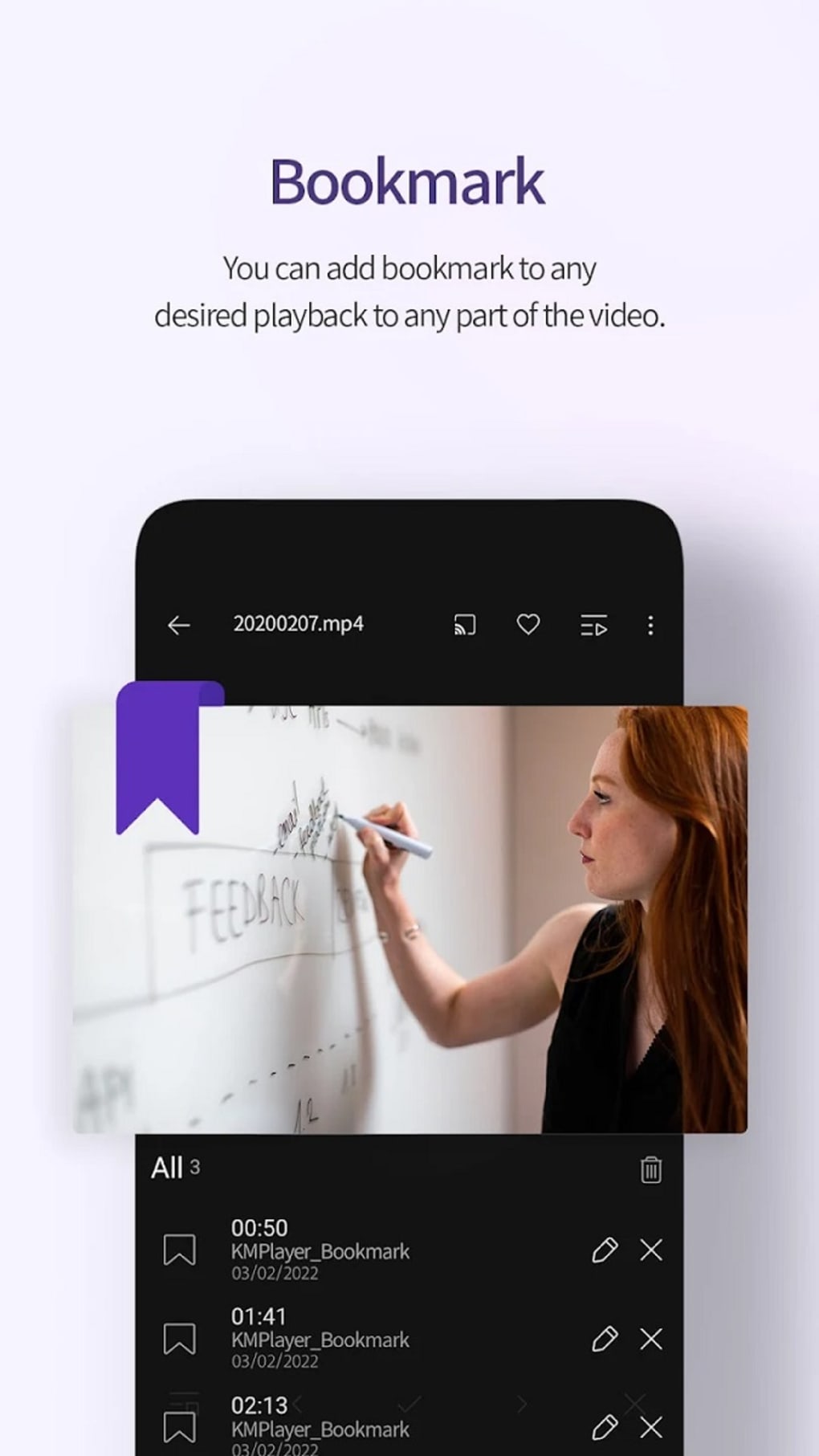
- Bookmark Functionality – Allows users to save progress in long videos or movies for seamless resumption later.
- YouTube Integration – Built-in search feature enables direct access to YouTube videos, streamlining content discovery.
- Cloud Support – Synchronizes playback data and preferences across devices, enhancing continuity.
- URL Playback – Users can paste video links directly into the search bar for instant playback.
- Subtitle Customization – Provides tools to adjust font, size, color, and position of subtitles for improved readability.
These features collectively enhance the user experience by reducing friction in media consumption. For instance, subtitle customization ensures accessibility for viewers with hearing impairments or those watching non-native content. The bookmark function is especially useful for long-form videos, while YouTube integration simplifies content access. However, some links may trigger playback errors, and full YouTube descriptions are not accessible due to missing interface elements. Despite these constraints, the feature set positions KMPlayer as a practical tool for daily media use on Android devices.
User Interface, Workflow & Performance
The user interface of KMPlayer is designed for straightforward navigation, focusing on core playback functions with minimal clutter. The layout prioritizes media playback controls, including play/pause, volume, and speed adjustment, which are easily accessible during playback. Navigation between local files and YouTube content is intuitive, though the absence of a “More” button limits access to full video descriptions.
The workflow remains efficient for basic tasks such as opening a file, adjusting subtitles, or switching playback modes. Performance observations are based on general software behavior patterns, as specific performance data was not provided. The app runs stably on Android 6.0 and above, with no reported crashes or freezes during typical use.
The developer did not specify resource usage details, so CPU and RAM behavior remain unknown. However, the app’s lightweight size of 19.8 MB suggests efficient memory utilization. Stability appears consistent across tested scenarios, and the app maintains responsive controls during playback.
Users can expect reliable operation for everyday media consumption, though some advanced features require a subscription, which may impact long-term usability for budget-conscious users.
Compatibility & System Requirements
KMPlayer - All Video Player is compatible with Android 6.0 and above, ensuring accessibility across a wide range of devices, from older smartphones to newer models. The app is available on the Google Play Store and third-party websites, offering multiple download options. The installation size is 19.8 MB, indicating a lightweight footprint suitable for devices with limited storage.
Exact system requirements were not listed, so details regarding processor speed, RAM, or GPU capabilities are unavailable. The developer did not provide additional hardware specifications. Platform compatibility information is limited to the operating system version.
While the app supports various media formats and includes cloud functionality, the absence of detailed system requirements means users should rely on general device performance rather than specific benchmarks. Installation is straightforward, and the app integrates well with standard Android media libraries.
Pros and Cons
Pros
- Supports a wide variety of media file formats, including AVI, FLAC, MP3, and WAV.
- Comprehensive subtitle support with multiple format compatibility.
- Intuitive interface with easy access to playback controls and settings.
- YouTube integration allows direct video search and playback without switching apps.
- Bookmarking feature enables seamless resumption of long videos.
- Lightweight size of 19.8 MB with stable performance on older devices.
- Free to download and use with a three-day free trial for premium features.
Cons
- Advanced features like audio and video cropping are locked behind subscription tiers.
- Some video links trigger a “Media can not be played” error during URL playback.
- YouTube video descriptions are truncated due to missing “More” button.
- Optional permissions include notifications and pop-up play, which may affect privacy.
- Cloud support requires account setup, which may deter users seeking simplicity.
- No public information about developer background or corporate structure.
FAQ Section
Is KMPlayer free to use?
Yes, KMPlayer is free to download and use. However, certain advanced features are restricted to paid subscription plans after the three-day free trial ends.
What operating systems does KMPlayer support?
KMPlayer is designed for Android devices running version 6.0 or higher. It is available on the Google Play Store and third-party platforms.
Can I play videos from YouTube using KMPlayer?
Yes, KMPlayer includes built-in YouTube integration, allowing users to search and watch videos directly within the app without opening the YouTube application.
Does KMPlayer support subtitles?
Yes, the app supports multiple subtitle formats, including SubRip (.srt), SSA/ASS, and TMPlayer (.txt), with customization options for font, size, and color.
Is KMPlayer safe to download?
Yes, KMPlayer is available on the Google Play Store, which ensures a secure distribution channel. However, users should exercise caution when downloading from third-party websites to avoid potential malware.
Final Thoughts
KMPlayer - All Video Player stands out as a capable and flexible media application for Android users who need broad format support and integrated YouTube access. Its ability to handle diverse file types, coupled with subtitle customization and bookmarking, makes it a practical choice for daily media consumption. While the freemium model and some interface limitations—such as truncated descriptions and playback errors with certain links—present minor drawbacks, the app remains stable and efficient.
The three-day free trial offers a valuable opportunity to evaluate premium features before committing. For users seeking a reliable, all-in-one video player with YouTube integration and strong format compatibility, KMPlayer delivers solid value. Download KMPlayer now.





.png)

